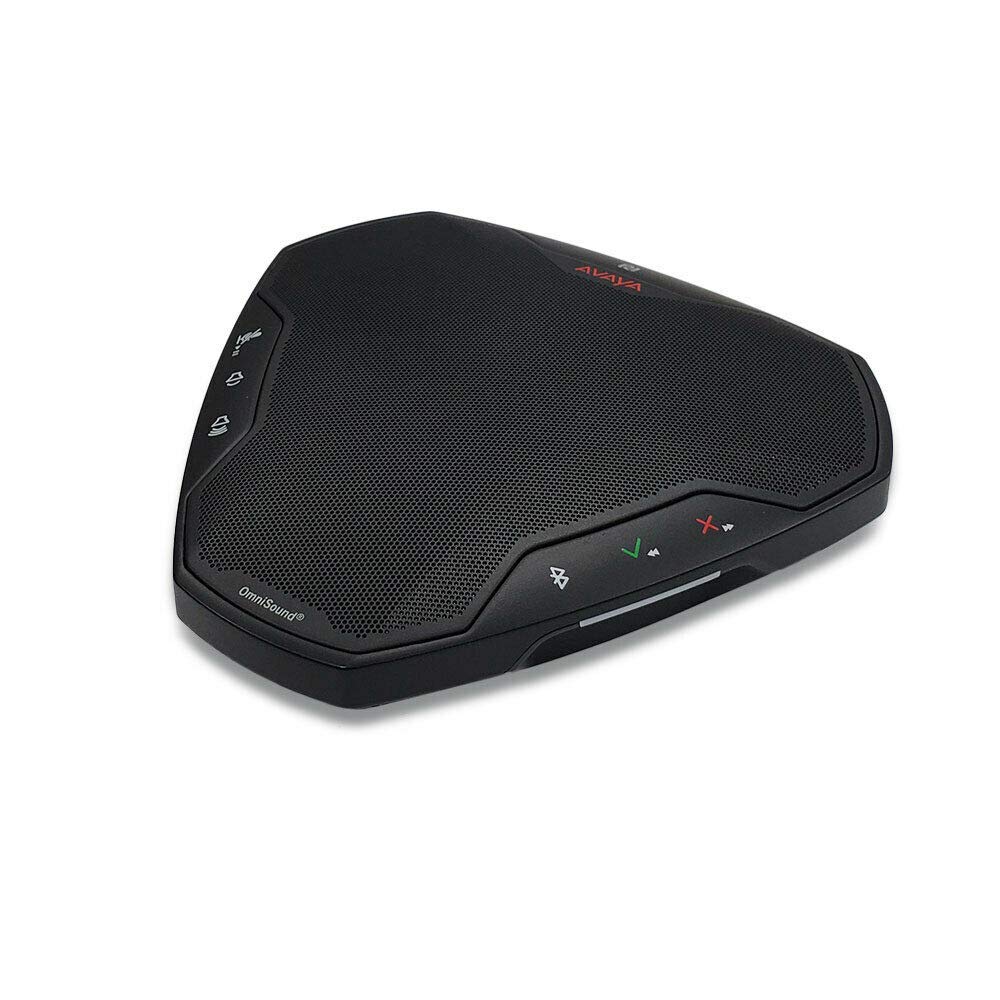
The Avaya B109 is a conference speaker designed for small meeting spaces, often called huddle rooms, and for individual professionals who need better audio on calls than a typical laptop or headset provides. It sits in a crowded market segment where products like the Jabra Speak series and the Poly Sync line are common alternatives. After spending several weeks using the B109 in a variety of real-world settings, it becomes clear that this device has some genuine strengths, but also a few trade-offs that potential buyers should consider.
In everyday use, the B109 is straightforward. You plug it into a laptop via USB-A or USB-C, and it is recognized almost immediately by Windows, macOS, and most conferencing apps like Zoom, Teams, and Google Meet. The cable is integrated, which means you don’t have to worry about losing a separate cord, but it also means you cannot replace it easily if it gets damaged. The speaker is compact enough to toss into a bag, though it is slightly heavier than some competitors, giving it a more solid feel on a table.
Key functional features include:
- Omnidirectional microphone pickup – The B109 uses a single omnidirectional mic, which captures sound from all directions. In a small room with up to four people, it handles voices reasonably well, but it struggles in larger or noisier environments.
- Speaker output – The audio from the built-in speaker is clear and loud enough for a small conference table. It is not designed to fill a large room, but for a huddle space, it works fine.
- Physical controls – There are dedicated buttons for volume, mute, and answer/end calls. These are tactile and easy to use during a meeting, which is a practical advantage over touch-based controls on some alternatives.
- USB connectivity only – The B109 relies solely on USB for both power and audio. There is no Bluetooth option, which limits its flexibility for mobile phone use or wireless setups.
A notable limitation here is the absence of Bluetooth. Many competing conference speakers in this price range include Bluetooth as a standard feature, allowing you to connect to a smartphone or tablet without a cable. The B109’s wired-only approach means you are tethered to your laptop. This is not a dealbreaker for desktop use, but it reduces the device’s versatility for people who move between devices or take calls on their phone. Another trade-off is the microphone quality in slightly reverberant rooms. The omnidirectional pickup works best when everyone is within a few feet of the speaker, but if someone sits at the far end of a longer table, their voice can sound distant or muffled.
Comparing the B109 to the Jabra Speak 510, which is a common alternative, the Avaya feels a bit more robust physically, but the Jabra offers both USB and Bluetooth connectivity for a similar price. The Poly Sync 20, another competitor, includes a speakerphone mode and a built-in battery for portable use, which the B109 lacks entirely. The B109 is not a bad product, but it is more limited in scope than some of its rivals.
Who is this speaker for? It is suitable for people who work primarily from a desk in a small office or home office, who use a laptop for video calls, and who do not need wireless connectivity. It is also a reasonable choice for small meeting rooms where the primary use is conferencing with a laptop. Who should look elsewhere? Anyone who frequently takes calls on a smartphone, needs to move between rooms, or has a larger meeting space with more than four participants should consider a Bluetooth-enabled model or a device with a wider microphone array. The B109 does its job well within its narrow design parameters, but it is not a one-size-fits-all solution.